Your Practice. Within Reach.
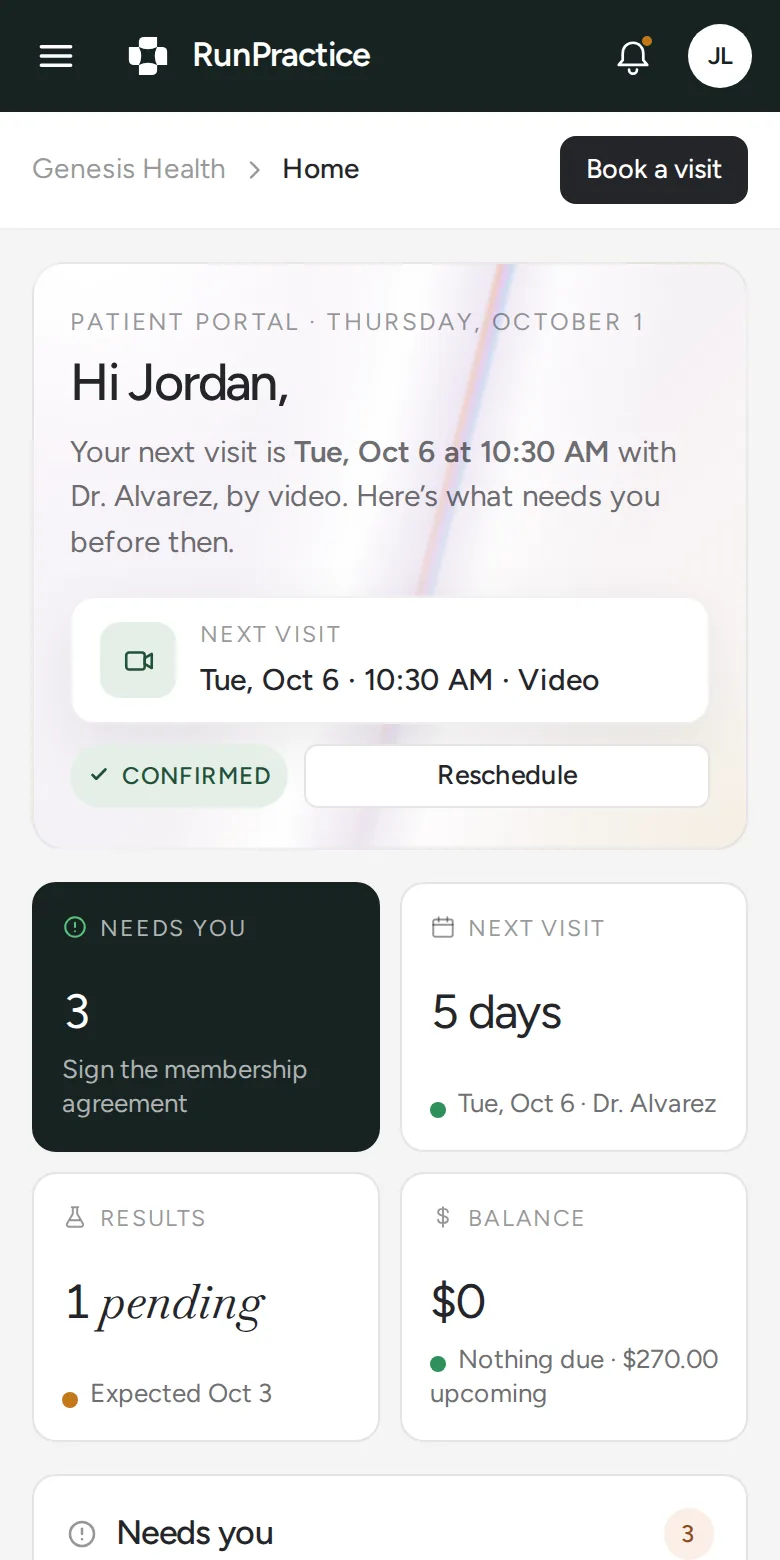
Give patients one place to book visits, complete forms, view approved records, pay, and stay connected to your team.
AI Concierge, Built In.
Routine questions answered, 24/7, in multiple languages. Clinical questions go to your team.
Personal Information. Verified Access.
Patients verify their identity before accessing personal information or changing appointments.
One Place for Your Patients.
Appointments
Book, reschedule, cancel, or confirm a visit. Get reminders along the way.
Forms and consents
Complete forms, sign consents, and upload requested documents.
Records and results
View approved lab results, visit summaries, medications, and records.
Care plans and instructions
Find approved care plans, post-visit instructions, and next steps.
Messages and support
Ask routine questions and get answers based on practice-approved information.
Payments
Check payment status and pay through a secure payment page.
Before. During. After.
Patients can see what’s scheduled, what’s still missing, and what comes next.
01
Before the Visit
- AppointmentsBook, reschedule, or cancel within your practice’s rules.
- PendingSee forms to sign, documents to upload, and visits to confirm.
- PaymentsPay a balance or keep a card on file.
- My informationReview medications, allergies, and contact details.
02
On Visit Day
- RemindersGet confirmations and reminders by email and text.
- HomeSee the upcoming visit and anything left to complete.
- Video visitsTest the camera and microphone, then enter the waiting room.
- MessagesGet routine answers from AI Concierge, 24/7.
03
After the Visit
- Lab resultsView results with plain-language notes from the practitioner.
- PrescriptionsRequest refills and view the preferred pharmacy.
- FilesFind visit summaries, care plans, and shared documents.
- MembershipSee what the plan includes and when it renews.
- InsuranceAccess the insurance card and visit superbills.
Connected to Your Team.
Bookings connect to your schedule. Documentation appears after practitioner approval. Payments go through Stripe. What patients complete in the portal shows up in your admin portal.
Your Practice Sets the Rules.
You approve what patients see.
Share approved records, results, care plans, and instructions.
You control how patients book.
Patients schedule, reschedule, or cancel within your practice’s rules.
Your team handles clinical questions.
AI Concierge answers routine questions and passes clinical questions to your team.
Secure Access. Simple Sign-In.
Patients sign in with a one-time code. Only verified patients can access their information.
No password to remember.
A one-time code arrives by text or email. Nothing to remember or reset.
Verify before sharing.
Identity is verified before personal information is shared or appointments are changed.
Patients choose who has access.
Invite a family member or caregiver with full access, access to visits and messages, or billing access only.
Keep information protected.
Data is encrypted in transit and at rest. Each practice’s information stays separate.
Less Admin for Your Team.
Pre-visit requirements completed before arrival.
Fewer routine requests handled by staff.
Saved on administrative work each month.
Measured across [number of practices] over [time period].
Your Questions, Answered.
What can patients access?
Appointments, forms, approved records, care plans, instructions, payments, and anything they still need to complete.
Can patients manage their appointments?
Yes. They can book, reschedule, or cancel within your practice’s rules.
What happens when a patient asks a clinical question?
The question goes to your team. AI Concierge handles routine questions and does not make clinical decisions.
Can patients complete forms before the visit?
Yes. They can complete forms, sign consents, and upload requested documents. Reminders help them finish anything still missing.
How do patients join a video visit?
They open the appointment in their portal, test their camera and microphone, and enter the waiting room.
How is patient information protected?
Through encryption, verified access, access controls, activity logs, and separate practice data.
Is the Patient Portal sold separately?
No. It’s included in the RunPractice Platform and Full-Service, alongside scheduling, payments, reminders, the admin portal, telehealth, and your AI workforce.
See Pricing
Keep Patients Connected.
Give patients a simpler way to book, prepare, pay, and stay in touch.