Your Practice. In One View.
Appointments, patient records, AI activity, payments, and team tasks. See what’s happening and what needs you.
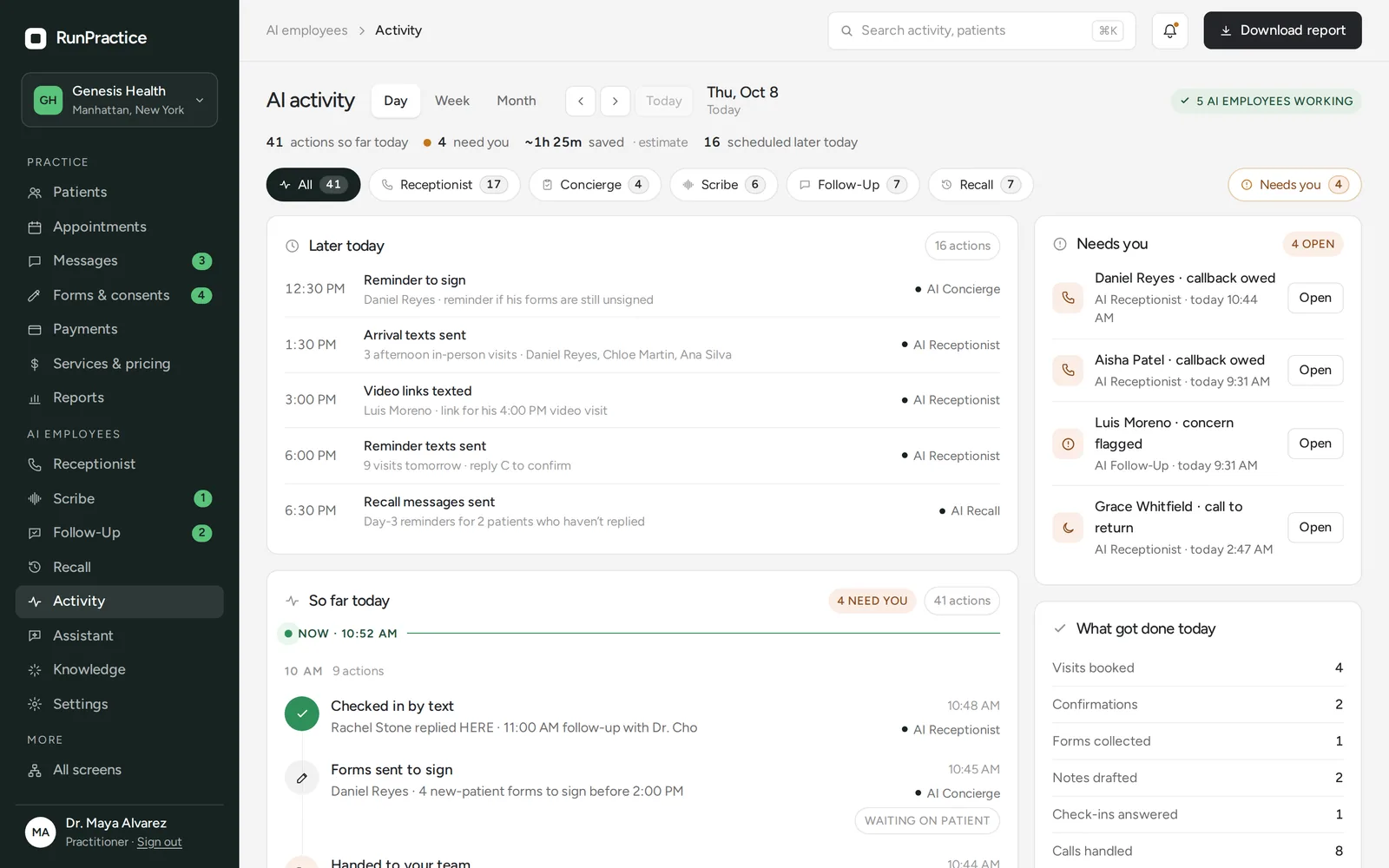
Know What’s Done. See What’s Next.
Records, appointments, AI activity, follow-up, and operations—in one place.
Clinical documentation stays in review until approved.
AI Scribe and Practice Assistant prepare drafts. Practitioners review, edit, and sign before anything is added to the record, the EHR, or the patient portal.
What’s inside the Admin Portal.
Patients and visits, practice operations, and the AI workforce, each with its own screen, all behind one sign-in.
01Patients and visits
Run the day
- AppointmentsDay, week, and list views, with a waitlist.
- TelehealthWaiting room, readiness checks, and the call.
- Patient recordsVisits, notes, labs, medications, and files.
- MessagesTexts, portal, web chat, and email in one inbox.
02Practice operations
Keep things moving
- PendingEverything waiting on a patient or your team.
- Forms and consentsTemplates, packets, and signed copies.
- PaymentsCharges, card links, refunds, and receipts.
- MembershipsPlans, members, renewals, and charges.
- InsuranceCoverage on file and superbills.
03AI workforce
Stay in charge
- AI activityEvery action, by day, week, or month.
- Live workspacesCalls, notes, follow-up, and recall as they happen.
- AI knowledgeThe sources and guardrails behind every answer.
- Practice AssistantAsk the record, then approve the next steps.
Your AI employees, supervised.
See what each AI employee did today, this week, or this month. Listen in on a live call and take over at any time.
Built for everyone on the team.
Practitioners
Today’s visits with forms and consents in place. Start the visit from the patient record, let AI Scribe take notes when the patient consents, then review and sign.
Front desk and coordinators
One queue for confirmations, forms, payments, messages, and callbacks. AI employees handle the routine and hand you the rest.
Owners and managers
Collections, memberships, renewals, and AI activity, plus the services, pricing, hours, and team the practice runs on.
Keep Your Tools Connected.
Connect supported EHRs, patient portals, and scheduling tools, plus Google Calendar and Stripe.
Start the Day Knowing What Needs You.
A missing form. A note awaiting approval. A patient waiting for a reply. See the open work in one place, so your team knows what to do next.
Secure access for the whole team.
Each team member signs in to their own account, with the access their role needs.
Verified sign-in
Staff sign in with a password and a one-time code, or with a passkey, then choose their practice.
Access by role
Invite your team by email as Admin, Practitioner, or Staff. Only authorized users can access patient and practice information.
Activity logging
Relevant verification, changes, approvals, and handoffs are recorded.
Encrypted and separated
Information is encrypted in transit and at rest, and each practice’s information stays separate.
Less Admin. More Time for Patients.
Staff tasks completed on time.
Patient workflows completed without manual follow-up.
Saved on administrative work each month.
Frequently asked questions
Do we have to replace our EHR?
Not necessarily. RunPractice works with supported EHRs, and we confirm compatibility before implementation.
Is the Admin Portal sold separately?
No. It is included in the RunPractice Platform and in Full-Service, with scheduling, the patient portal, payments, reminders, telehealth, and the AI workforce. See Pricing.
Can my team step in?
Yes. Your team can see every interaction and take over at any time.
Does AI make clinical decisions?
No. AI supports your team. Practitioners make every clinical decision.
How is information protected?
With encryption, access controls, activity logs, patient verification, and separate practice data.
Does it work for membership practices?
Yes. Memberships shows your plans, members, renewals, and charges, and each patient sees their own plan in the patient portal.
How fast is setup?
Core setup can be completed within hours, depending on your systems. There is no setup fee.
See Your Day in RunPractice.
See how your team can manage appointments, patient activity, AI agents, and daily tasks from one dashboard.